

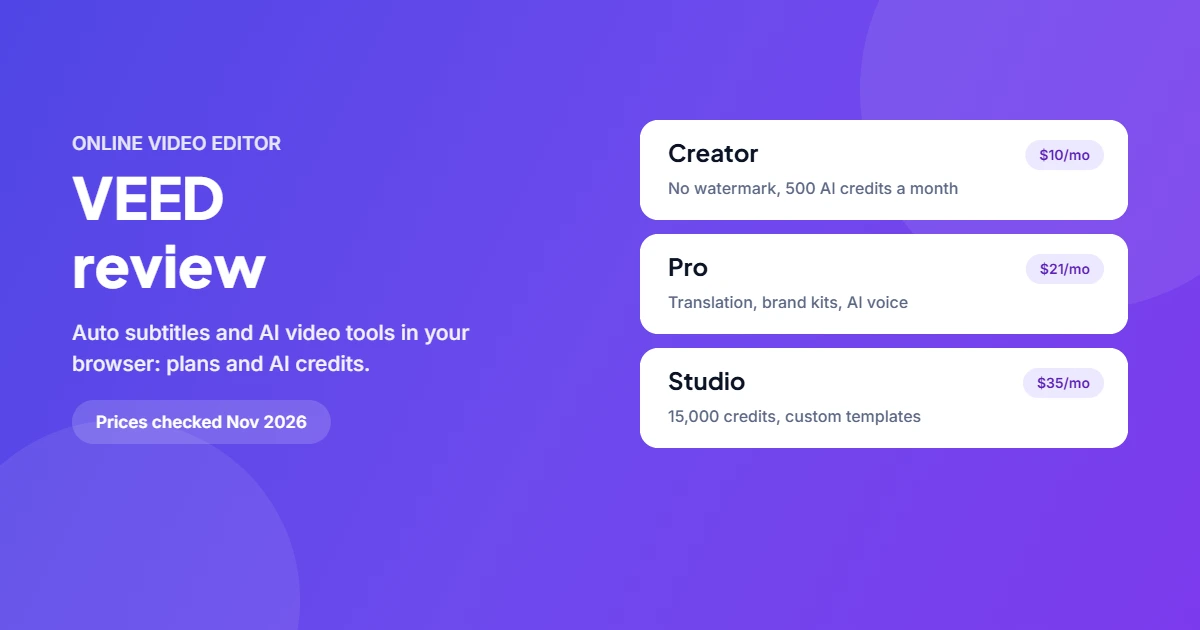
VEED (veed.io) is an online video editor that runs in your browser, best known for automatic subtitles and a growing set of AI tools. There’s a free plan; paid plans start at $10 per user a month billed yearly and remove the watermark.
What is VEED?
VEED lets you trim, caption, translate and export videos without installing software. Over time it has added AI features: AI video generation, AI avatars, text to speech, dubbing, background removal, noise removal and an eye-contact fix. It’s popular with social media creators, marketers and teams making training or product videos.
Key features
- Auto subtitles and caption styles, with translation into 50+ languages on Pro and above
- AI video tools: a Gen-AI Studio, AI avatars, text to video and image to video
- Audio clean-up: background noise removal and AI voice
- Brand kits (multiple on Pro) and custom templates on Studio
- An API for subtitles, lip sync and background removal
VEED pricing (USD)
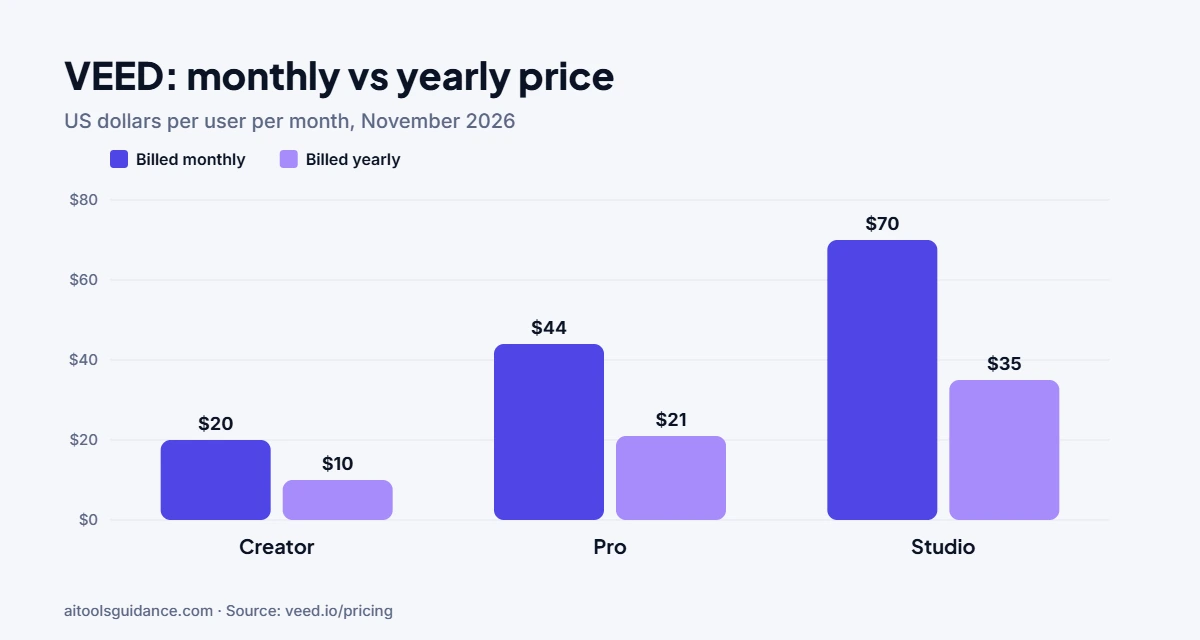
From veed.io/pricing, checked 14 November 2026. Prices are per user.
| Plan | Billed monthly | Billed yearly | AI credits | Highlights |
|---|---|---|---|---|
| Free | $0 | $0 | — | Basic editing, watermark on exports |
| Creator | $20/month | $10/month | 500/month | No watermark, unlimited auto subtitles |
| Pro | $44/month | $21/month | 2,500/month | Translation, multiple brand kits, 12 hrs/month AI voice |
| Studio | $70/month | $35/month | 15,000/month | Custom templates, 80 hrs/month AI voice |
| Enterprise | Custom | Custom | Team controls, privacy, review mode | |
Yearly plans get the year’s credits up front (6,000, 30,000 or 180,000). Unused translation minutes don’t roll over.
How to add subtitles in VEED
- Upload your video at veed.io or start from a template.
- Open Subtitles and click Auto subtitle. Pick the spoken language.
- Fix any wrong words in the transcript; names and jargon often need edits.
- Choose a caption style and position.
- Export. On a paid plan there’s no watermark.
Pros and cons
| Pros | Cons |
|---|---|
| Nothing to install, works in the browser | Monthly billing costs about twice the yearly price |
| Fast, accurate auto subtitles | AI credits and voice hours are capped by plan |
| Many AI tools in one editor | Large projects depend on a good internet connection |
VEED alternatives
Compare VEED with Descript (edit video by editing the transcript; see also Descript Overdub), InVideo AI for prompt-to-video, and our list of Descript alternatives.
FAQ
Is VEED free?
Yes, VEED has a free plan you can start without paying. Paid plans remove the watermark and add AI credits, brand kits, translations and AI voice.
How much does VEED cost?
On 14 November 2026 VEED listed Creator at $10, Pro at $21 and Studio at $35 per user per month billed yearly, or $20, $44 and $70 billed monthly. Enterprise is custom.
How do VEED AI credits work?
Each paid plan includes AI credits for features such as AI video generation, avatars and voice. Yearly plans get the whole year's credits up front: Creator gets 6,000 a year, the same as 500 a month on the monthly plan.
Does VEED remove the watermark?
Yes. All paid plans, starting with Creator, export without the VEED watermark.
Is VEED good for subtitles?
Subtitles are one of its strengths. All paid plans include unlimited auto subtitles under a 50-hour-a-month fair-use limit, and translations are counted in minutes against your plan.
Source: VEED pricing and FAQ. Checked 14 November 2026.


1 comment